


Filters
Filters
More Details
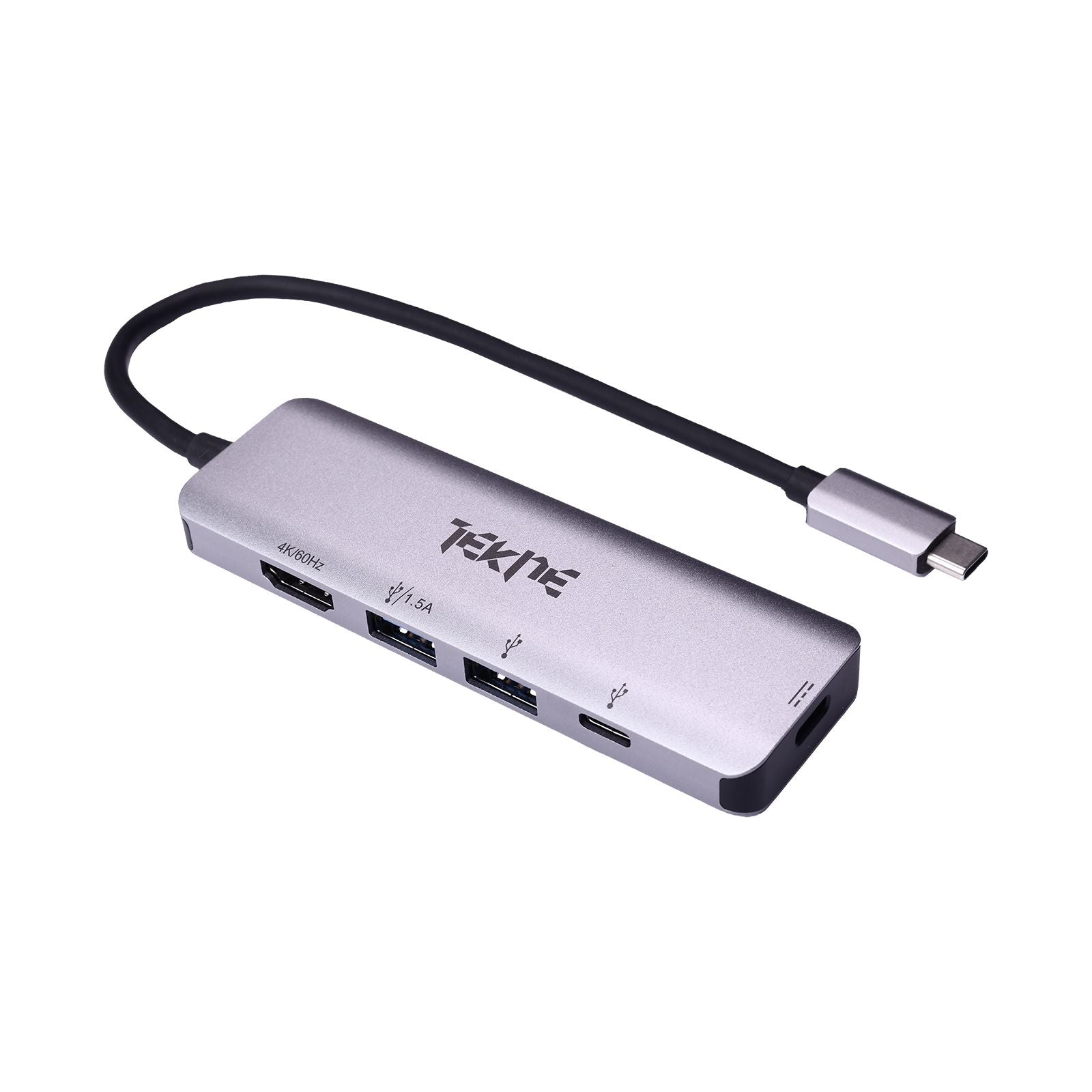
USB C to USB Hub: Expand, Connect & Simplify Your Workflow with Tekneworld
A USB C to USB Hub is more than a connection tool—it's your all-in-one solution for maximizing device performance. Whether you're a designer, remote worker, or power user, Tekneworld offers the Best USB Hub lineup, featuring premium USB Hub Multi Port extensions. Enjoy high-speed charging, file transfer, and 4K display output, all in one compact All in One USB Hub design.
Buy USB C to USB Hub Online at Tekneworld
Universal Compatibility Across All USB-C Devices From MacBooks and iPads to Android phones and Windows laptops, Tekneworld’s Apple USB Hub, C to USB Hub, and USB Hub C Type models work seamlessly across ecosystems. The USB C to USB Hub collection empowers you to convert a single port into a full workstation with unmatched ease.
A Format for Every Setup Need a USB Hub with HDMI Port for presentations? Or a portable 4 in 1 USB Hub for travel? Tekneworld’s USB C HDMI USB Hub options serve every workflow. Whether it's for screen mirroring, file syncing, or device charging, you'll find the Best USB Hub for Laptop or tablet in our versatile lineup.
Power Meets Versatility Our high-performance USB C to USB Hub models are tailored for creatives, coders, and multitaskers alike. With features like Power Delivery, high-speed ports, and multi-display support, the Good USB Hub options from Tekneworld deliver more—whether you're at your desk or on the go.
Key Features of a USB C to USB Hub from Tekneworld
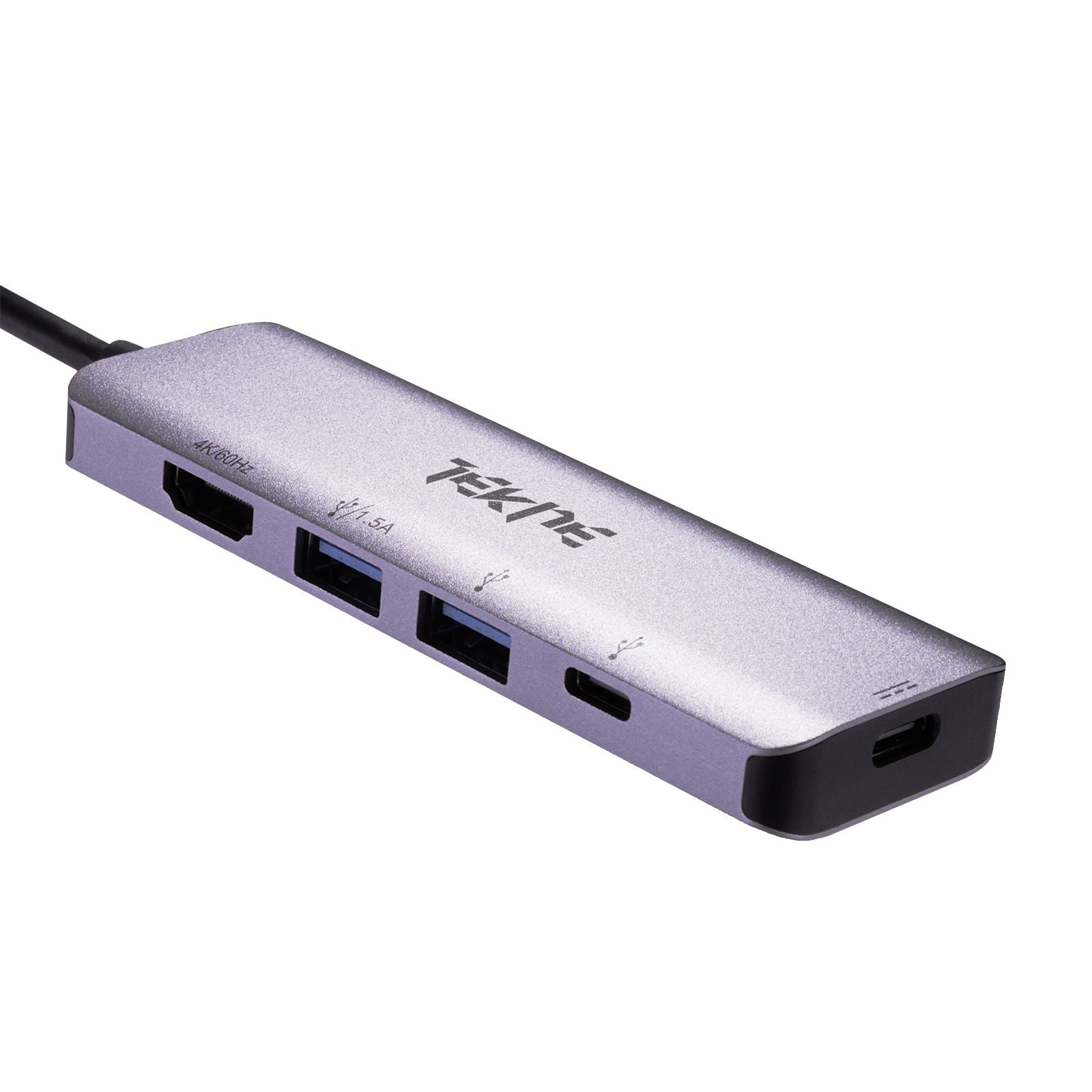
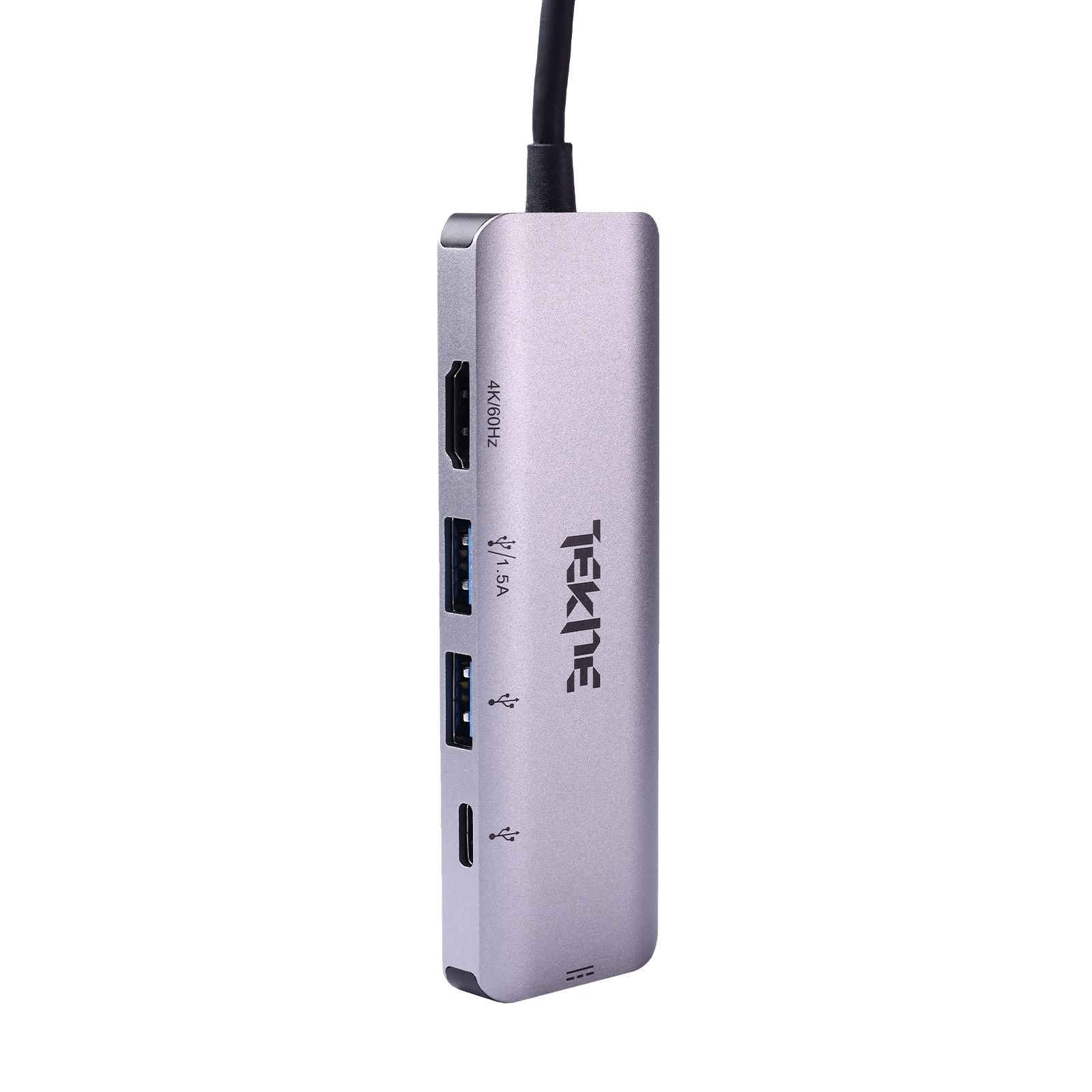
Multi-Port Expansion for Total Flexibility Turn one USB-C input into a USB Hub Multi Port powerhouse—featuring USB-A, HDMI, USB-C, SD/microSD slots, and more.
4K Display Support with USB C HDMI USB Hub Extend your screen to a 4K monitor effortlessly using a USB Hub with HDMI Port—ideal for presentations, streaming, or editing.
High-Speed File Transfer Our Best USB Hub models support 5Gbps (USB 3.0) or even 10Gbps (USB 3.2) transfer speeds—great for moving large media files in seconds.
Power Delivery (PD) Charging Stay charged while you work—select USB C to USB Hub options support up to 100W power delivery for uninterrupted productivity.
Compact & Rugged Whether it's a travel-ready 4 in 1 USB Hub or a sturdy All in One USB Hub, Tekneworld combines portability with durability in every build.
USB C to USB Hub vs Traditional Dock – What’s the Better Choice?
Sleek, Efficient Design Unlike bulky docks, a USB C to USB Hub gives you a slim, elegant profile without sacrificing port variety.
Budget-Friendly Performance Get premium features at an affordable price—our Good USB Hub lineup includes USB Hub C Type models that offer full functionality at a fraction of the cost.
Works Across Devices Whether you're using macOS, Windows, or Android, Tekneworld’s Apple USB Hub and C to USB Hub products ensure cross-platform support.
Made for Mobility Lightweight and compact, the 4 in 1 USB Hub is the perfect travel companion for students, professionals, or creators on the move.
Plug & Play Convenience No drivers required. All USB C to USB Hub devices from Tekneworld are plug-and-play across operating systems.
USB C to USB Hub Price in India – What Affects It?
Port Selection More ports, more utility. A premium USB Hub Multi Port with HDMI, USB-A, USB-C, and SD slots may cost more—but it’s worth it.
Display Capabilities A USB C HDMI USB Hub that supports 4K video and audio output will be priced higher due to advanced circuitry.
Charging Features Models with PD support deliver higher wattage and faster charging, which adds to the cost.
Build Quality The Best USB Hub designs use metal housing and reinforced connectors for durability, heat dissipation, and sleek aesthetics.
Warranty & Brand Reputation With Tekneworld, you're not just buying a USB C to USB Hub, you're investing in quality, after-sales support, and a trusted brand.
What Is a USB C to USB Hub and Why Do You Need One?
Understanding the Basics A USB C to USB Hub connects to your device via a USB-C port and gives you access to multiple interfaces—USB-A, HDMI, SD, and more.
Why It’s Essential Modern laptops and tablets often lack enough ports. A Good USB Hub solves this by providing charging, data, and video output in one sleek unit.
Versatile Compatibility Tekneworld’s Apple USB Hub, C to USB Hub, and USB Hub C Type devices are tested across multiple OS platforms for worry-free performance.
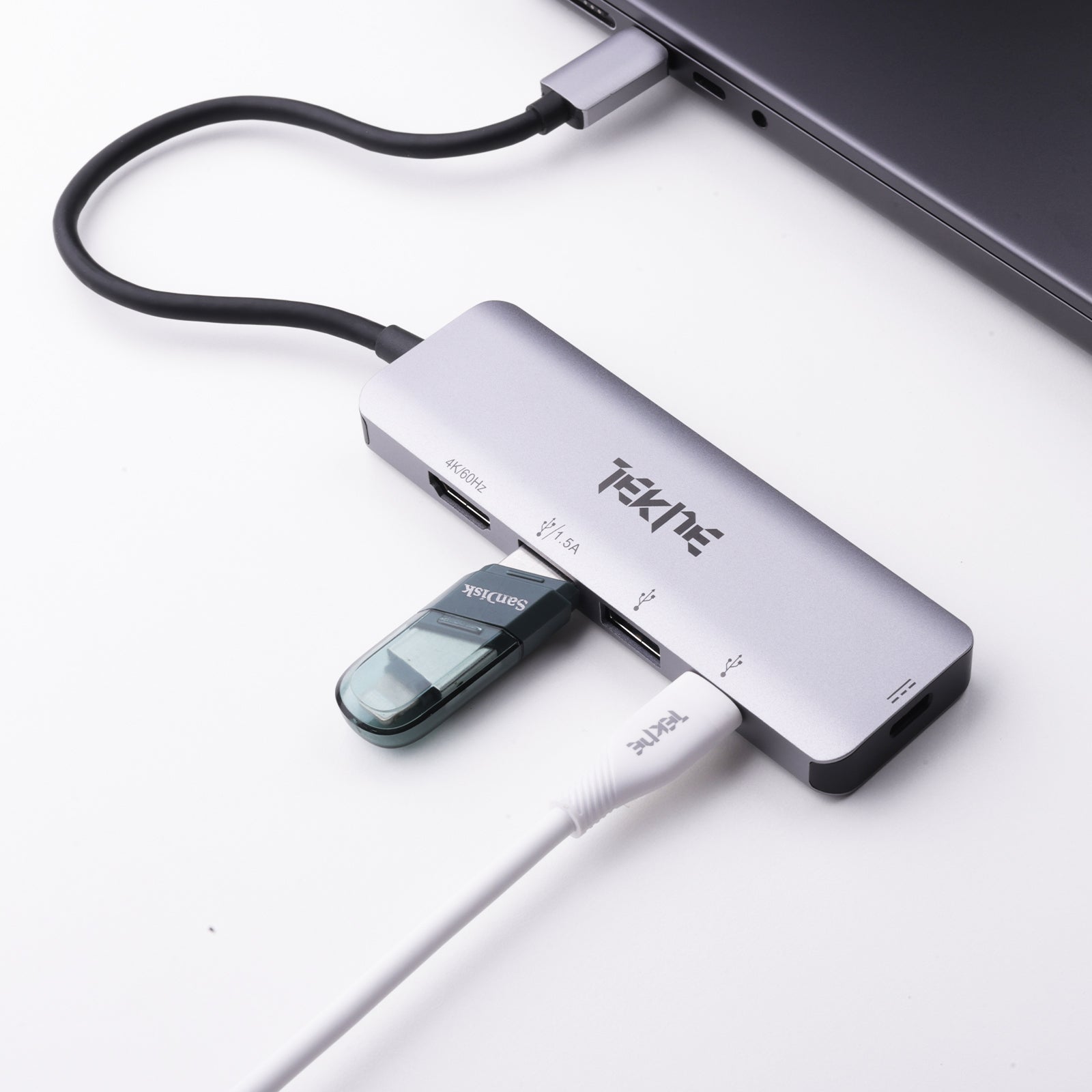
Do More with Less An All in One USB Hub means fewer cables and more productivity—transfer files, connect displays, and charge simultaneously.
USB C to USB Hub for Creatives and Professionals
High-Performance USB C HDMI USB Hub Perfect for content creators—experience clear 4K video output, rapid file transfer, and device charging in one hub.
Portable 4 in 1 USB Hub with PD For laptops and tablets, this compact USB C to USB Hub includes USB-A, USB-C, and HDMI—ideal for hybrid professionals.
USB Hub Multi Port for Full Desk Setups Manage your mouse, keyboard, drives, and display through a single USB C to USB Hub—keep your workspace neat and efficient.
Travel-Ready USB C to USB Hub Lightweight and powerful, our USB Hub Extension options are made to fit your travel workflow.
Seamless Integration with Apple Devices Our Apple USB Hub and USB Hub C Type designs are built for MacBook and iPad compatibility—no dongles, no compromise.
Best USB C to USB Hub Setup for Creative Workflows
Expand Your Creative Space Use a USB Hub with HDMI Port to connect to large 4K monitors while syncing files from your camera or phone.
Charge While You Create With 100W power delivery, your USB C to USB Hub can charge your laptop while all ports stay active.
Transfer Like a Pro Get the Best USB Hub for Laptop to move RAW footage, videos, or graphics without bottlenecks.
Organize Your Setup Ditch messy wires and opt for an All in One USB Hub to maintain a clean, productive workspace.
Made for All Tools Whether you're editing in Final Cut, Photoshop, or Premiere, our Good USB Hub models support your software and speed.
Why Buy USB C to USB Hub from Tekneworld?
Proven Reliability Each Best USB Hub from Tekneworld is tested for performance and longevity.
Safety First Our USB C HDMI USB Hub units are built with safety protocols for stable data transfer and secure charging.
After-Sales Support Get responsive assistance and warranty support with every USB C to USB Hub purchase.
Built for Everyone From students to professionals, our USB Hub C Type and C to USB Hub models suit all users and budgets.
The Tekneworld Advantage Join thousands across India who trust Tekneworld for premium USB Hub with HDMI Port, USB Hub Multi Port, and All in One USB Hub solutions.

